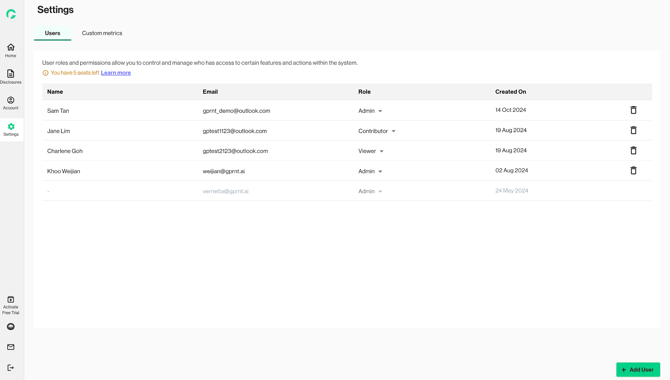
The user management dashboard provides a comprehensive overview of users, roles and status under an entity. It is accessible only to the admin users. Admin users of verified profiles will be able to add, edit, and delete users and their roles.
Here are the role definitions:
- Admin: Have full control over the platform. Ideal for users who need complete oversight. Please note that newly added Admin(s) will share the same access.
- Contributor: Can edit content. Ideal for users who actively participate in the reporting process, but do not need to create and assign disclosure forms.
- Viewer: Has read-only access to the platform. Ideal for users who need to be involved but not needed to provide inputs for data reporting.
- You can view the user statuses on this page.
- Invited users who have created an account will appear in black
- Invited users who have not created an account detail will appear in grey
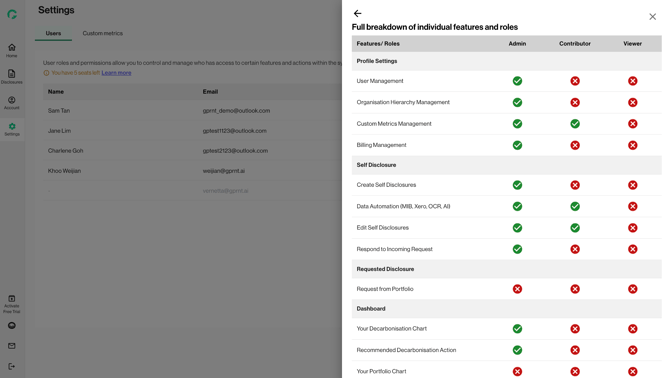
2. To learn more about the different roles and their access, you can click on ‘Learn more’ and view the full breakdown of features and roles