This article walks you through the process of requesting disclosures from your portfolio companies, such as suppliers or clients, on the Gprnt platform.
Access Request Disclosure Feature
As a Gprnt client with an admin role, you can create and send disclosure requests to other organisations. Organisations who receive these requests will report and submit disclosure data based on the reporting preferences defined by the admin user, such as the reporting period and selected reporting frameworks.
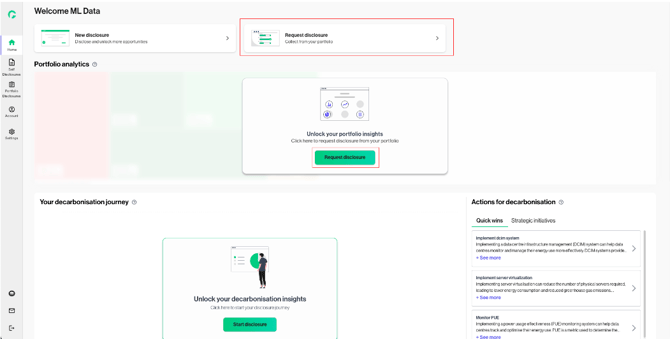
1. From the dashboard, click the “Request disclosure” card or the “Request disclosure” button to begin.
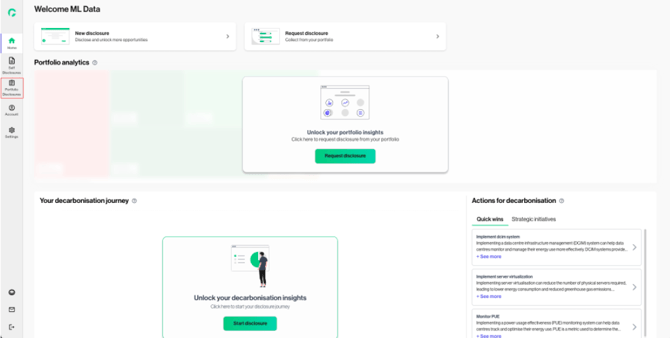
2. Alternatively, select “Portfolio Disclosures” from the left navigation panel.
Select Reporting Frequency & Reporting Period
This step allows you to configure reporting preferences to ensure consistent disclosure collection.
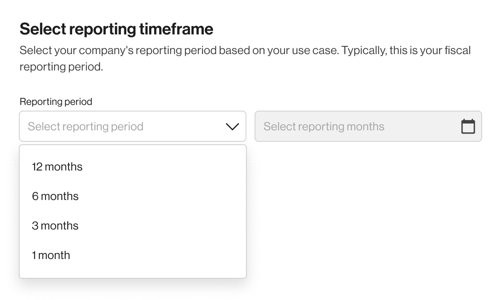
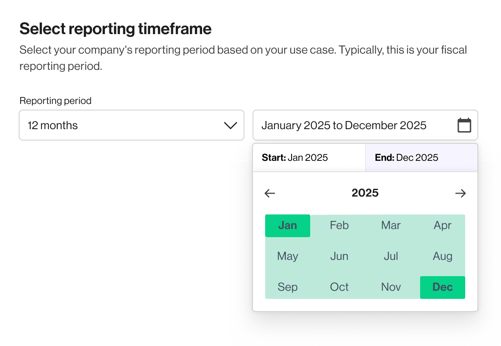
3.Select the reporting period that you wish to collect disclosure data for.
Select Reporting Packs
4. Select the Pack(s) that you wish to collect disclosure data for.
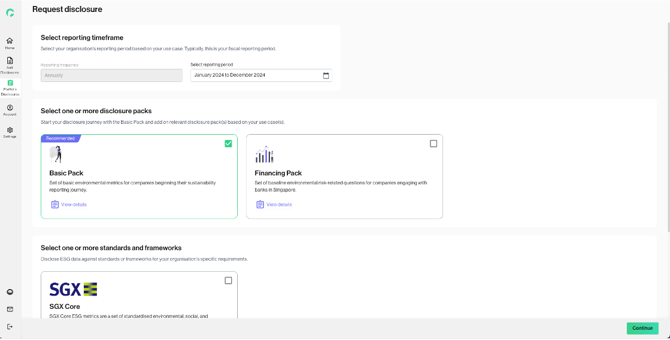
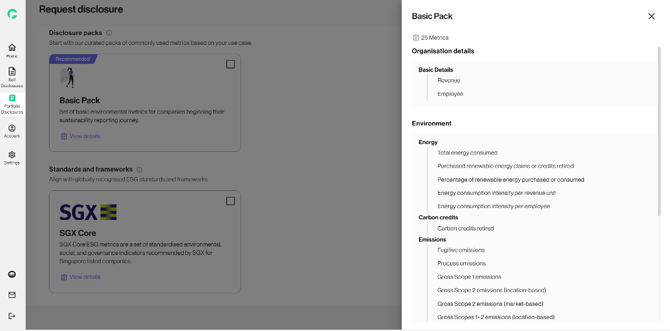
5. To review the metrics included in each pack, click on “View Details”.
Click on “Continue” to confirm selection.
Send Disclosure Request
6. Review and confirm the reporting parameters and metrics included in your disclosure request. 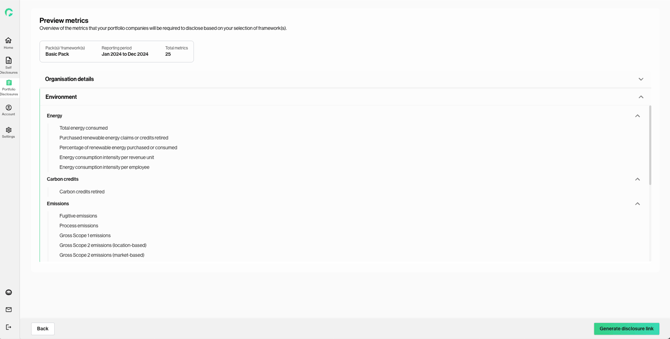
7. Proceed to "Send request" to send the disclosure request. You can share the disclosure request using one of the following methods:
a. Uploading recipient emails via CSV
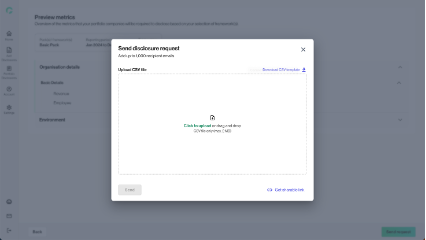
To upload recipient email addresses via CSV, download the CSV template and enter each email address on a separate row. Upload the completed file when ready. You may choose one of the following delivery options:
-
Send immediately as a one-time disclosure requesty
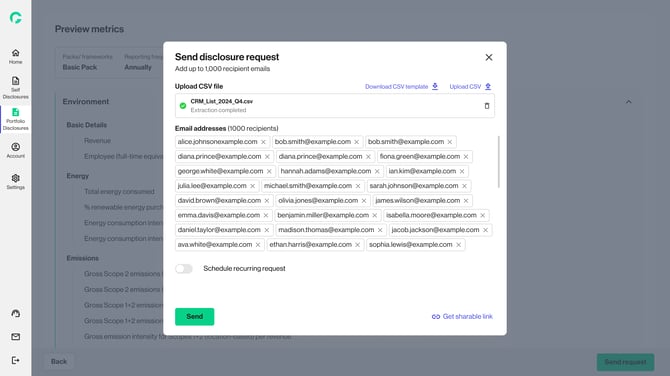
-
Send immediately and schedule a recurring request
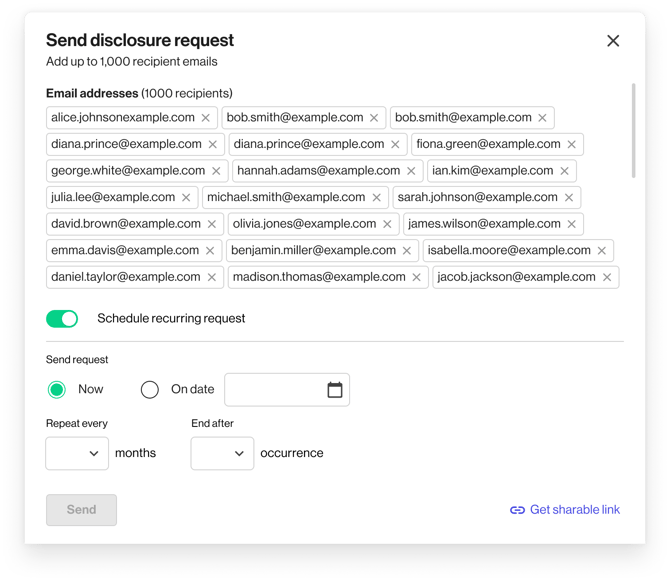
-
Schedule the request for a later date, with the option to set it as a recurring request
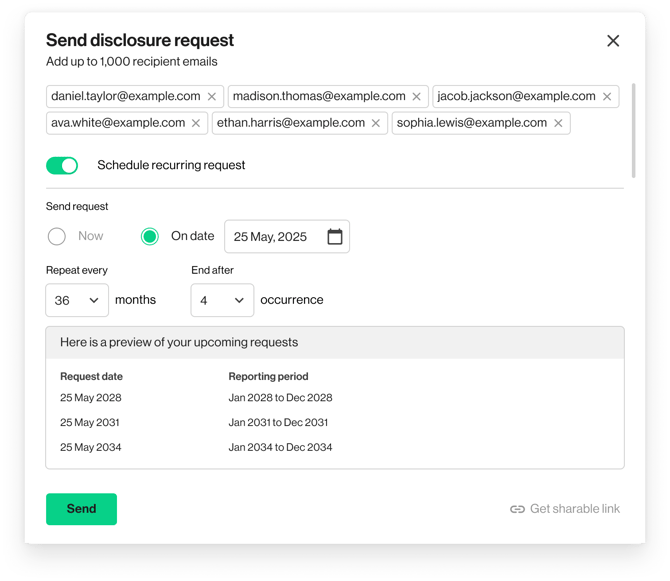
8. Once all details are confirmed, click “Send” to proceed with the disclosure request.
b. Generating disclosure link
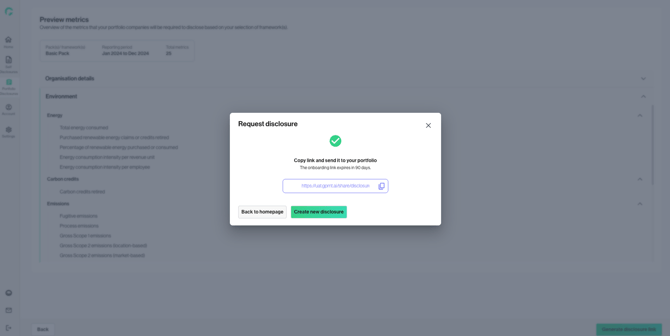
To share the request via link, click “Get shareable link” to generate a unique disclosure link. Copy and share this link with your portfolio companies to allow them to submit their disclosure data.