
Seamlessly set up your profile with your Myinfo business (MIB) profile using Corppass. This grants you instant verification and provides access to all the key reporting features available on our platform.
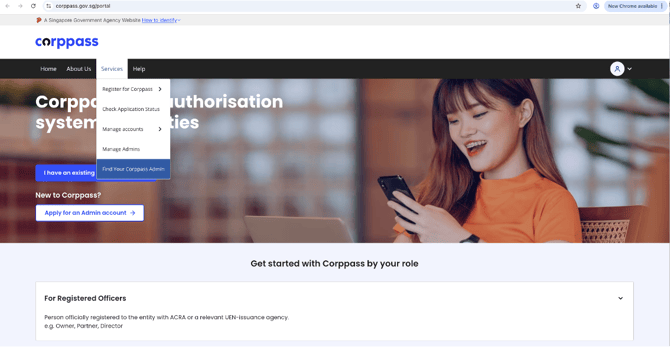
1. A Corppass admin would be required for this step. To identify who your Corppass admin is, visit https://www.corppass.gov.sg, click on “Services” and then “Find Your Corppass admin”.
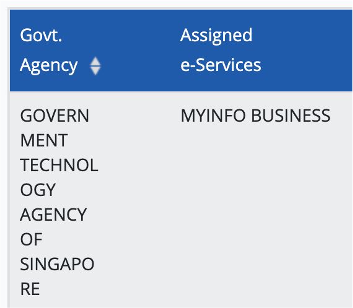
2. Check if Myinfo business e-Service is added to your entity.
To add this e-Service, log in to the Corppass Portal and follow the steps below:
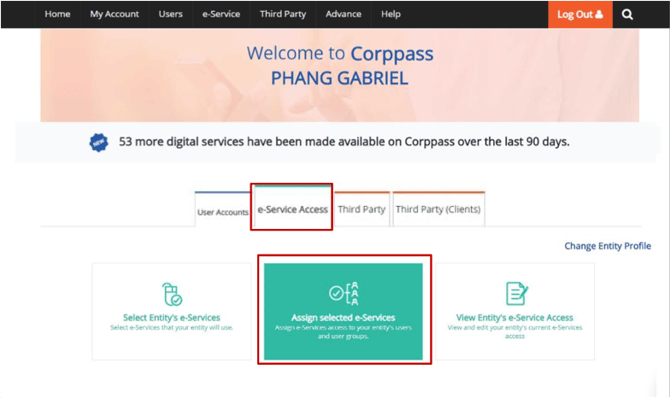
- Navigate to “e-Services”, click “Select Entity's e-Service”.
- Select “Myinfo business” e-Service to add to your entity's list.
- Verify the selected e-Service and submit.
3. Assign the selected e-Service to relevant users.
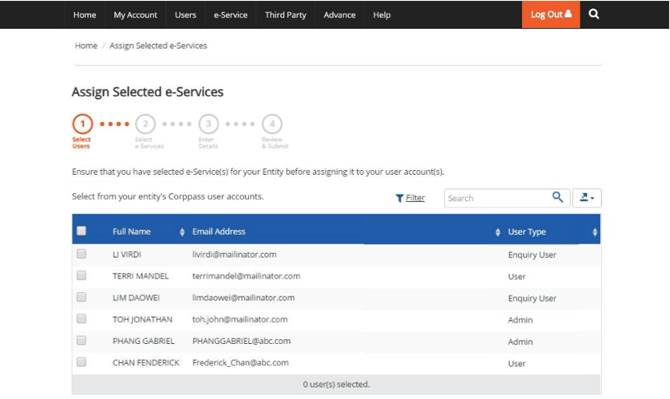
- Navigate to “e-Services”, click “Assign Selected e-Services”.
- Select the Corppass user accounts that you wish to assign the service to.
- Select “Myinfo business” e-Service.
- Enter the required parameters (e.g., Roles) and the authorisation validity period.
- Verify the details and submit the changes.
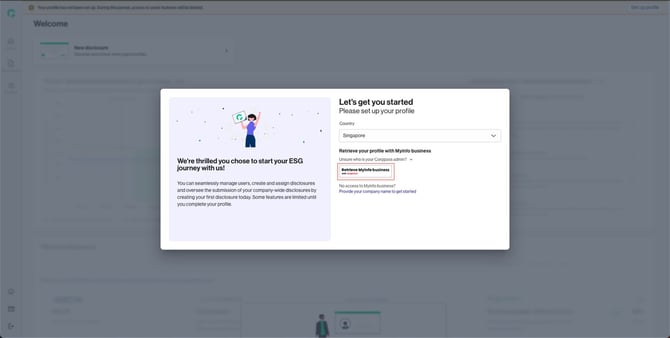
4. To set up your Gprnt account using Myinfo business, click on “Retrieve Myinfo business with Singpass”
5. You will be redirected to Singpass for authentication
- Click “I agree” to consent to the sharing of your business information.
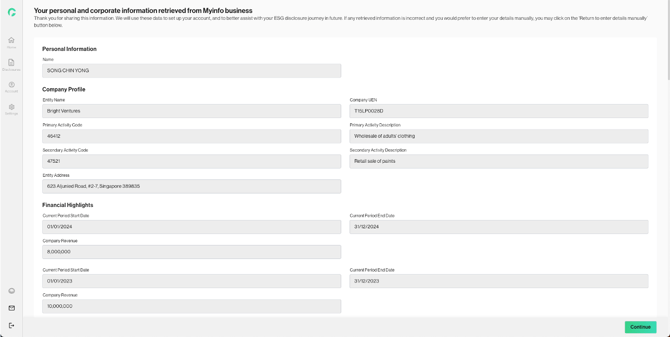
6. Review the data retrieved from MIB and click on “Continue”
7. Once you have successfully setup your account, you will be directed to Gprnt platform.