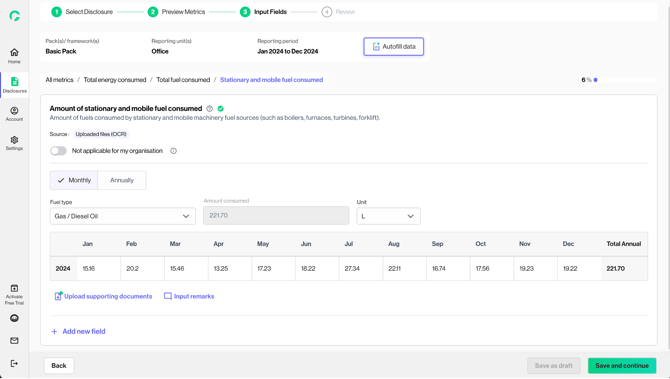
The data extraction through file upload feature on Input Page allows users to upload any existing documents (bills, invoices etc.) and directly populate the disclosure with data extracted from the documents.
This aims to eliminate manual data entry for users and ensure accurate and efficient population of identified disclosure fields using existing documents.
1. Under the “Upload bills” tab, you can access the document data extraction function.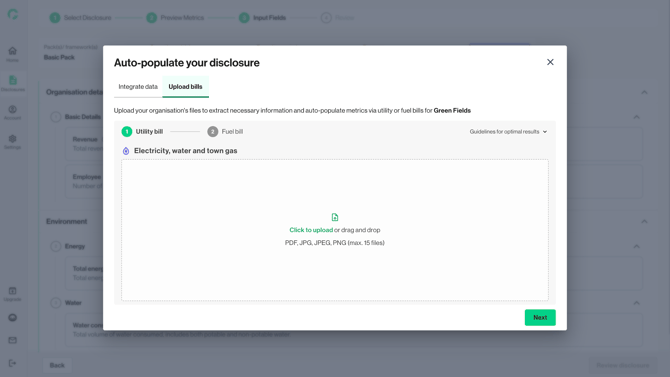
2. If you are reporting for multiple reporting units, you can click on “Upload” to upload files for a selected unit. 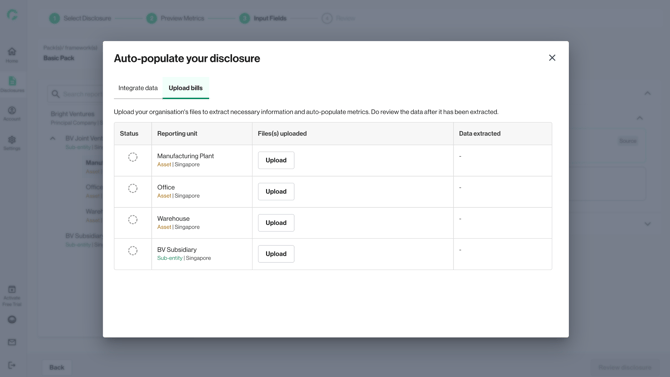
3. You will be prompted to upload existing documents (bills, invoices). Both steps are not mandatory, you can skip if you do not need the functionality.
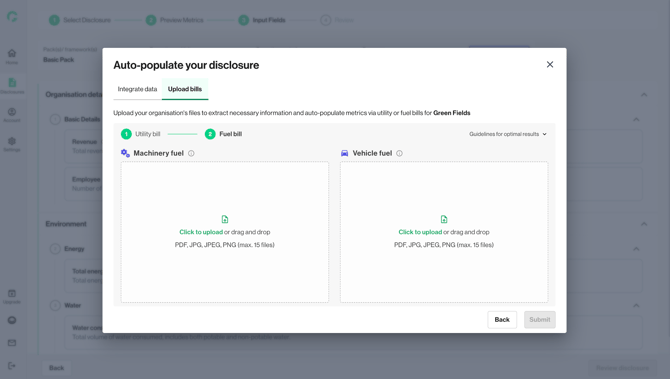
4. If you have already retrieved utility data from Myinfo business, the “Utility Bill” upload feature will not be available as it is not required.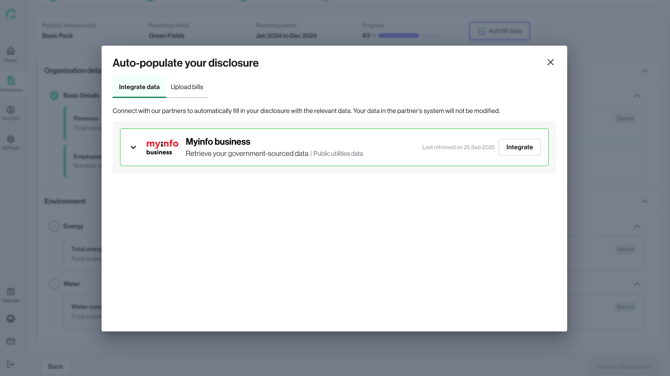
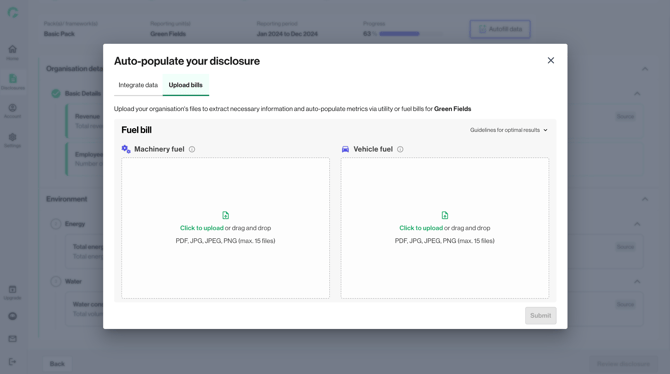
5. You can upload up to 15 files at once. Platform will display success/error state for the file uploads.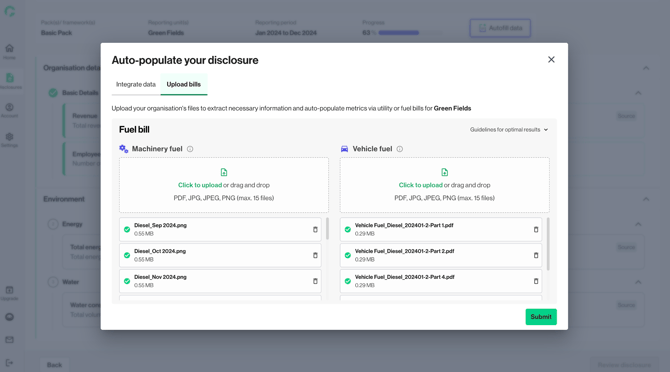
6. Once all files have been uploaded, click on ‘Submit’. The uploaded files will start processing. In the meantime, you can proceed to fill up other metrics on the input page.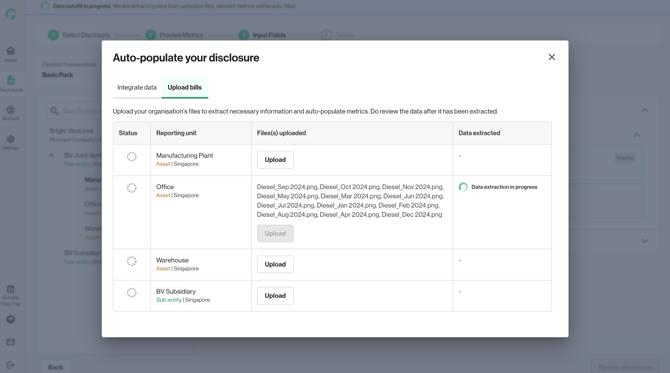
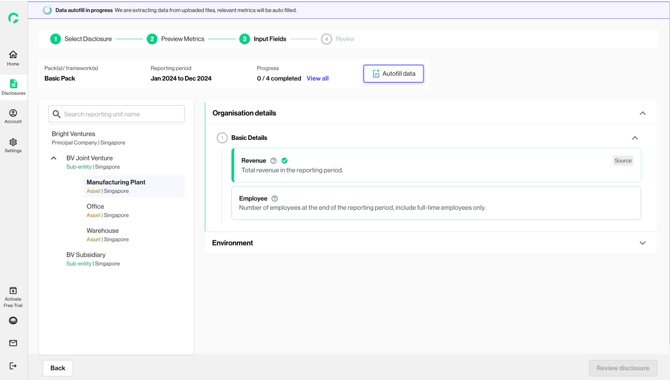
7. Once the processing of files has been completed, the banner will become green. You can click on ‘View Results’ to see the outcome of the data extraction. 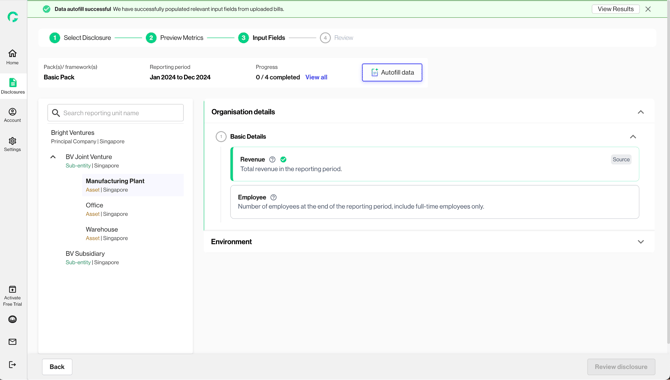
8. From here, you can click onto each of the metric title hyperlinks to view the extracted data. 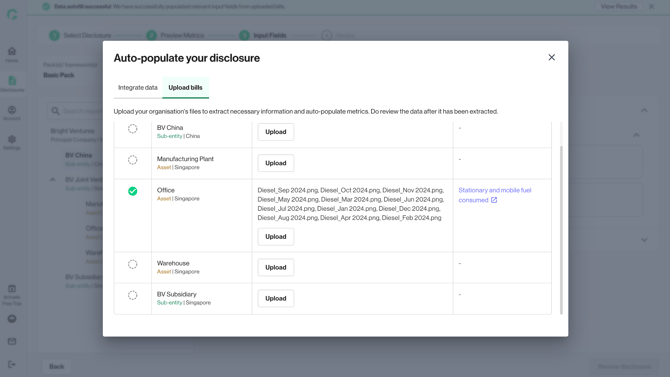
9. Within the metric, you can view the extracted data populated against the respective months. The uploaded files are automatically attached as supporting documents. You can edit/ add on any missing data.