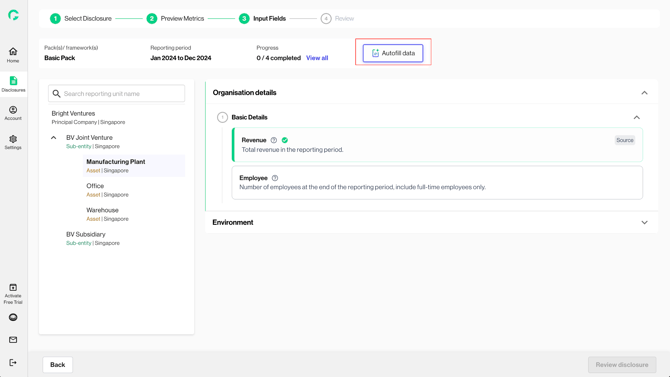
Gprnt recognises that data required for disclosure could be obtained from various trusted sources. The data integration feature on Input Page empowers users to seamlessly connect and extract relevant data for reporting, leveraging existing digital data and thereby reducing manual inputs.
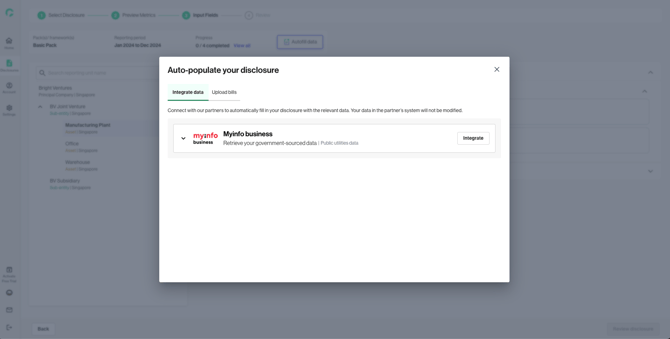
This step is not compulsory, and users may close the modal if they decide to not integrate with any of the available partners.
1. Under the “Integrate data” tab, the list of available data partners is displayed.
2. Users can leverage Myinfo business to extract revenue and company’s utilities data from government sources for data population.
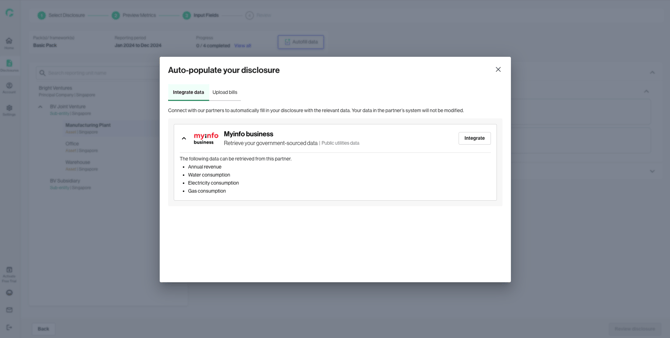
3. Expand the data partner card to see what information will be retrieved through the integration.
4. Clicking “Integrate” will bring you to the authorisation steps with the respective data partner.
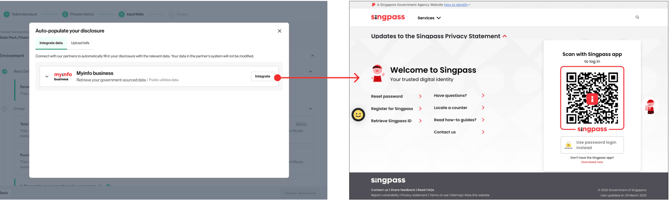
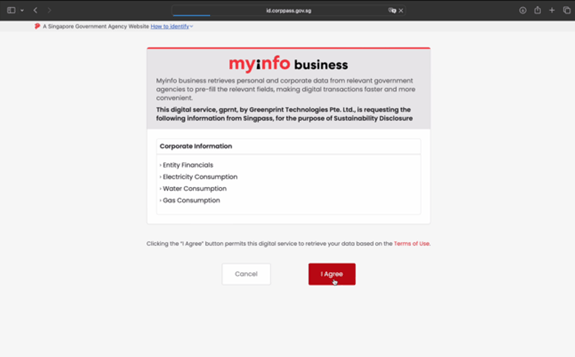
5. If you are reporting for multiple reporting units with different UENs, clicking “Integrate” will open the Myinfo business modal, where you can select a particular UEN to integrate with.
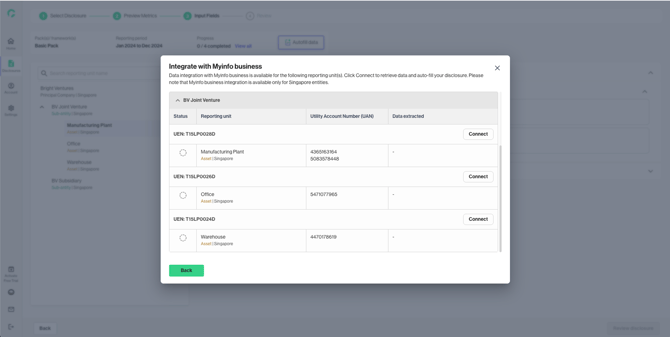
6. Once successful authenticated and connected, you will be redirected back to the platform. You can click on the metric title hyperlinks to review and edit the data retrieved.
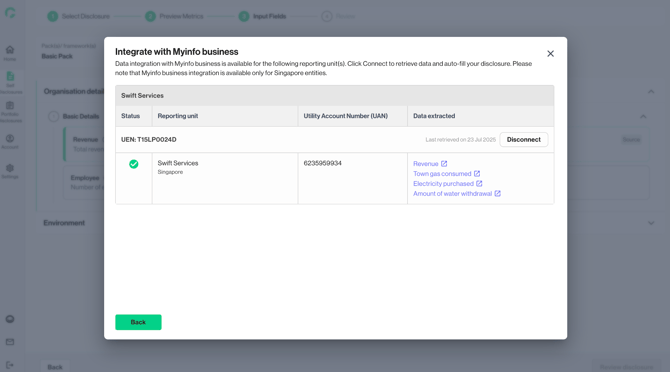
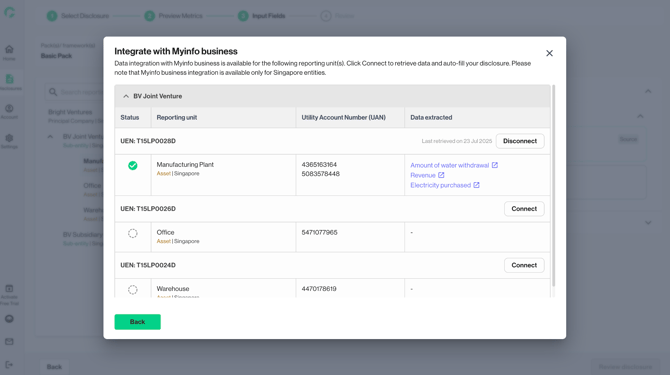
7. If you wish to remove the retrieved data, you can click on “Disconnect”.
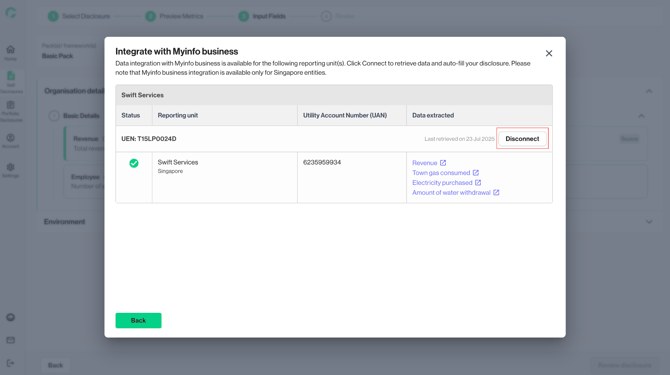
8. If you wish to re-access the data integration feature during your disclosure journey, you can click on the “Autofill data” button.