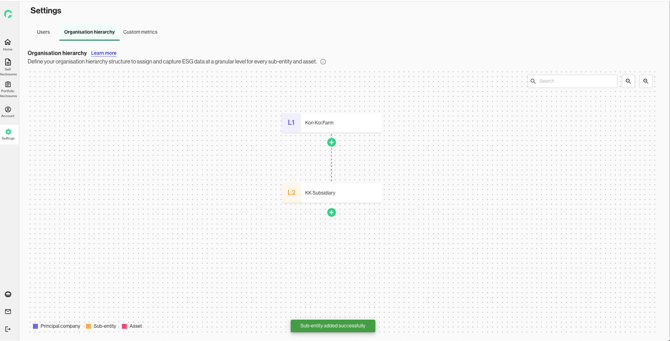
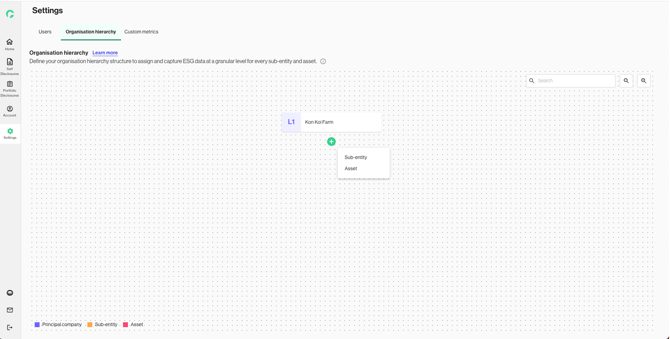
1. Click on the plus icon to begin adding a new level and unit. Select to add a new ‘Sub-entity’ or ‘Asset’.
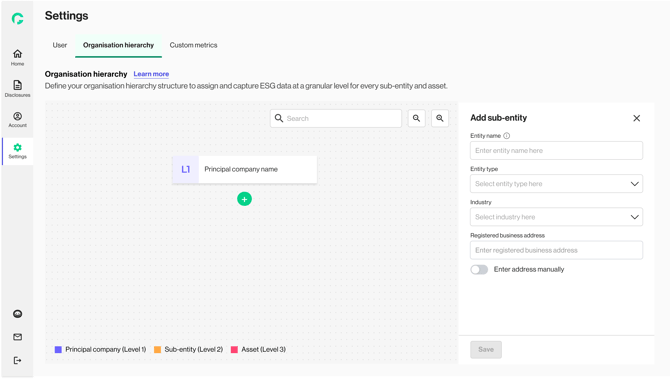
2. Enter the details for all the mandatory fields.
3. If the reporting unit is based in Singapore, you can configure the Unique Entity Number (UEN) using Myinfo business, and retrieve relevant Utility Account Numbers (UANs).
By configuring UEN and UAN, you will be able to retrieve financial and utility data from Myinfo business during your disclosure step.
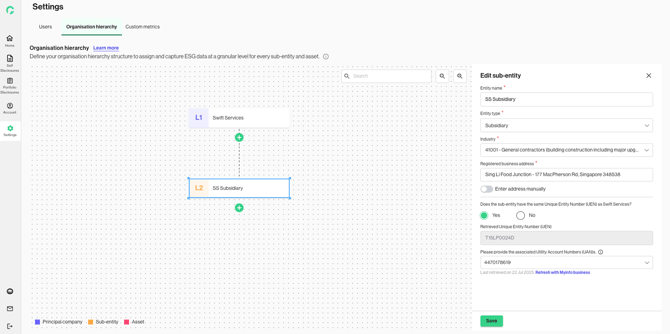
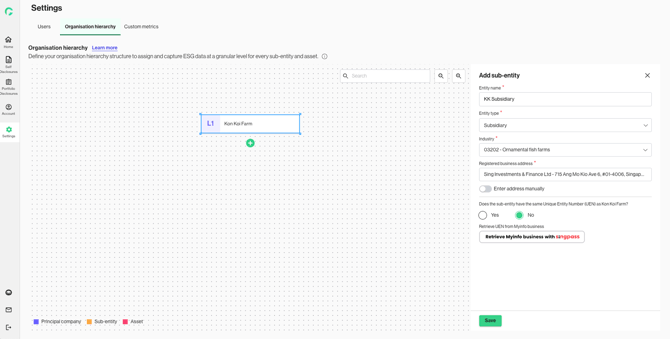
4. If the newly added reporting unit shares the same UEN as the immediate parent, select “Yes” for the UEN toggle and link UANs belonging to this reporting unit.
Click “Refresh with Myinfo business” to retrieve the latest list of UANs.
5. If the newly added reporting unit does not share the same UEN as the immediate parent, select “No” for the UEN toggle and sign in to the corresponding UEN on Myinfo business.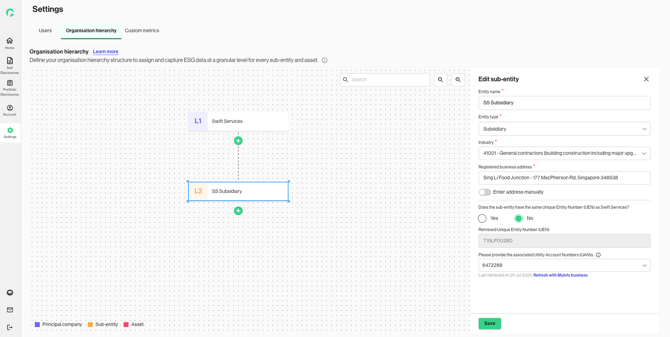
6. Click on ‘Save’ to confirm the changes, and the reporting unit(s) will be successfully added.